Partner collaboration for Jira Cloud
Connect each partner organization once. Share work items into that relationship from Jira; they work in their own portal and see only the fields your templates allow. No Atlassian account, no Jira seat, both directions.
How it works
Install Collabound from the Atlassian Marketplace and connect your Jira site to a workspace from the Collabound panel or Jira Settings. About two minutes, no changes to your Jira permission schemes.
Add each client, vendor, or agency as a partner. They get a free Collabound workspace with their own users and roles. For a one-off recipient, a secure link works too.
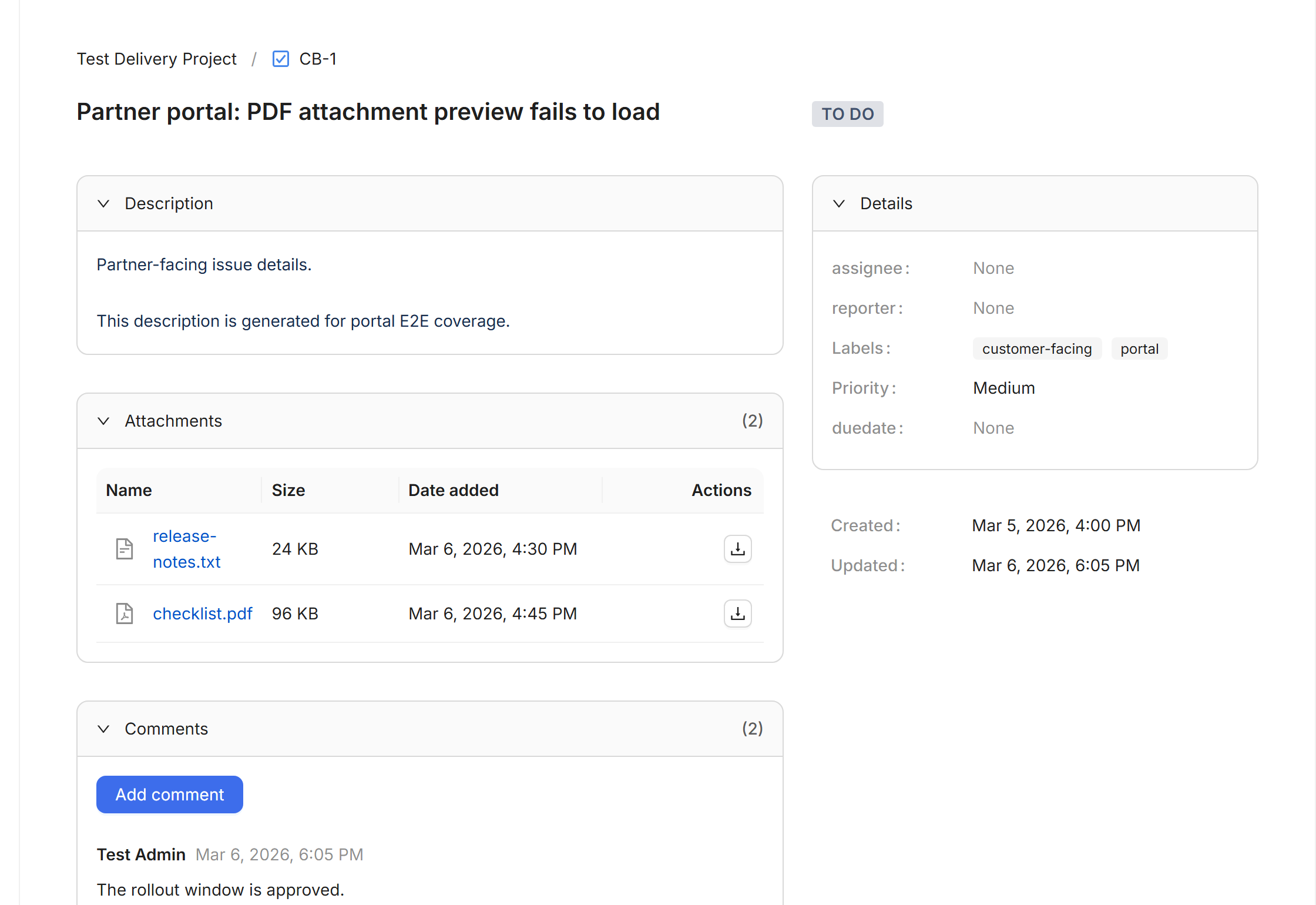
Click Share on any work item and pick the partner. They read, comment, attach, and transition in their portal; every update lands back in the Jira issue. Revoke any time, audited throughout.
How it fits together
Your Jira sites and your team feed one governed workspace. Each partner organization gets its own portal, its own users, and its own roles. Work flows both ways, and nobody buys a seat in anyone else’s Jira.
Capabilities
Connect once, share for years. Many-to-many: you can have any number of partners, and a vendor or agency serves all of its Jira clients from one workspace.
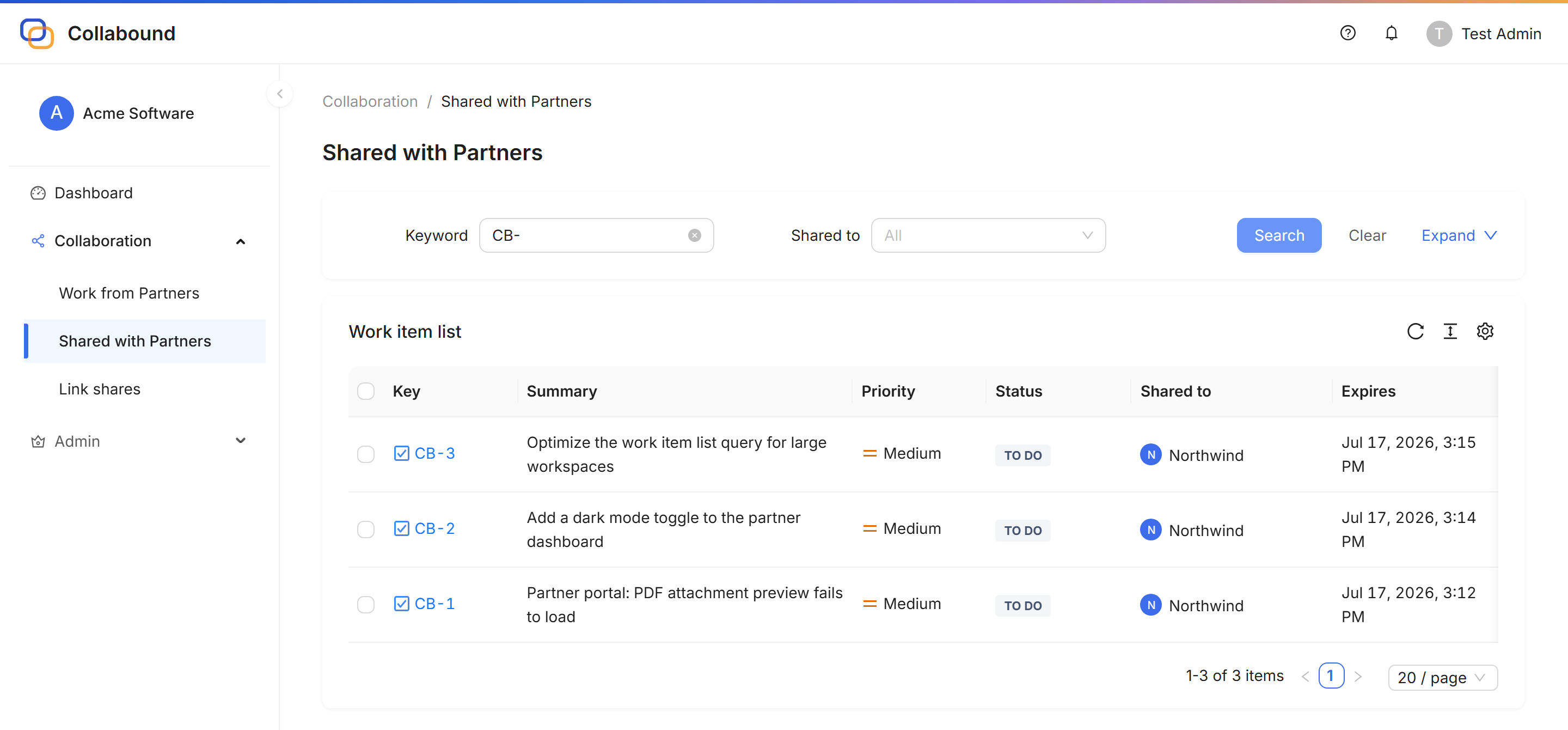
Partners see everything shared with them, across your whole team, in one place. They switch between clients, manage their own users, and get an inbox for what changed.
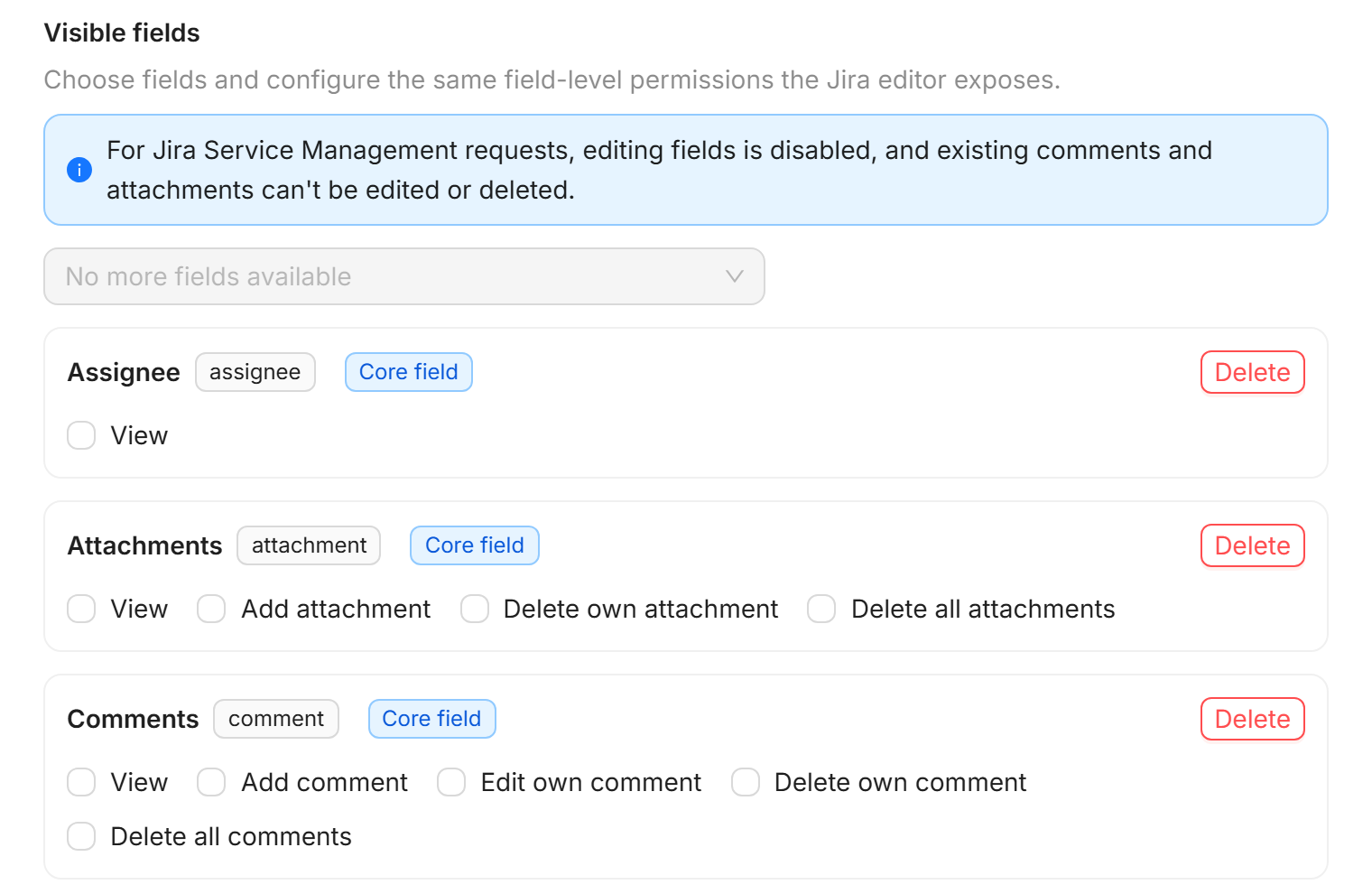
Sharing permission templates decide who may share and with whom. Content access templates decide which fields, comments, and attachments leave Jira. Set per site or project, override per partner, or start from Open, Balanced, or Strict presets.
View, Respond, Edit, Moderate. The partner’s admin decides what their own people can do; your template caps it. Effective access is always the intersection of the two.
Partners can share their work items back to you. If both companies run Jira, neither adds users to the other; shared items simply appear under “Shared with us”.
Every share has an expiry and can be revoked in one click. Share, revoke, login, and access events are recorded in an audit log administrators can review.
Three ways to work with people outside Jira
Jira Guest and link-sharing apps are the right tool for one person or one ticket. Collabound is for the organizations you work with all year.
Jira Guest
The outside person gets an Atlassian account and a seat in one space, where they see every work item and every field. Standard plan and up, one space per site.
Link-sharing apps
A user creates a link per issue, board, or filter and sends it to someone. Fast for one-offs, but every link is its own island and every recipient is just an email address.
Collabound
Connect a partner organization once. Their people work in their own portal with their own roles, your templates decide what leaves Jira, and everything flows both ways.
Full comparison with Jira Guest › Full comparison with External Share for Jira ›
For administrators
Sharing permission templates decide who may share and with which partners. Content access templates decide which fields, comments, and attachments are visible or editable outside Jira. Set them per site or project, override for a single partner, or start from the Open, Balanced, or Strict preset.
On the partner’s side, their admin assigns roles to their own people. Whatever they choose, your template is the ceiling.
Read the admin guide ›Field-level content access template
For your partners
Your partner gets one portal for every work item you and your teammates share, with their own users, roles, and notifications. If they serve other Jira customers too, those live in the same workspace. No Jira training, no Atlassian account, no seat.
Sharing permission templates decide who may share and with whom. Content access templates decide which fields leave Jira. Partner roles cap the rest. Nothing is shared by accident.
Share, revoke, authentication, and access events are recorded with the actor, target, and timestamp. Workspace administrators review the full log in the Portal.
The Jira app runs on Atlassian Forge. The Collabound service runs on AWS in the United States and stores list-level metadata only; issue details are fetched from Jira on demand. TLS in transit, encryption at rest.
Collabound is built and supported by Shinetech Apps, the Atlassian Marketplace division of Shinetech Software: 7 Marketplace apps, 1,700+ active installations, 10+ years in the Atlassian ecosystem, and an ISO/IEC 27001 certified engineering organization behind it.
1,700+
active installs across our apps
10+
years on the Marketplace
ISO 27001
certified company
FAQ
No. Partners create a free Collabound portal account with their work email; there is nothing to install and no Jira seat involved. For a one-off recipient, a secure link share needs no account at all.
No. You connect each vendor once as a partner organization. Your templates are defined per site and project, so the same rules apply to every partner unless you deliberately override them for one.
No. One Collabound workspace receives work from every client that shares with you. Your people switch between clients inside the portal, and your admin manages roles for your own team in one place.
Yes. Sharing is bidirectional. If the partner also runs Jira, items they share appear in your Jira under “Shared with us”, and neither company adds users to the other’s site.
Their own admin. Partners invite their people and assign roles (View, Respond, Edit, Moderate) in their workspace. Your content access template sets the ceiling; a partner role can never grant more than the template allows.
Only the work items you share, and only the fields allowed by the content access template you choose. Fields you exclude, such as internal notes, estimates, or custom fields, never leave Jira.
Access ends immediately. Revoking a share removes that item; disconnecting a partner organization ends every share with them at once. Shares can also expire automatically on a date you set, and the history stays in the audit log.
The Jira app runs on Atlassian Forge. The Collabound service is hosted on AWS in the United States and stores list-level metadata such as key, summary, and status. Descriptions, comments, and attachments are retrieved from Jira when an authorized user opens the item. See the Security overview for details.
Through the Atlassian Marketplace, per Jira user tier. Sites with up to 10 Jira users are free with no time limit; larger sites start at $1.50 per user per month with a free 30-day trial. Partner organizations and their users are always free, however many you have. See the pricing page for exact numbers.
Jira Guest adds a person to one space inside your Jira site, with an Atlassian account, where they see every field. Collabound connects a whole partner organization outside Jira and shares selected work items with selected fields. Many teams use both.
Link-sharing apps are built around individual links created by individual users. Collabound treats the partner as an organization with its own workspace, users, and roles; administrators define who may share and which fields may leave Jira; and partners can share back. See the comparison page.
Collabound vs Jira Guest › Collabound vs External Share for Jira › Pricing ›
Free for sites up to 10 users, free for 30 days above that. Partners are free forever, however many you have. Cancel from Jira at any time.