Three customers share one company-managed project. You invite one of them as a Jira Guest so they can follow their tickets. Within minutes they can browse work that belongs to the other two customers — unless you have already built (and keep perfect) work-item security levels.
That is the Guest tradeoff in one picture: Atlassian made it easy to bring an external user into a single space, with free seats within published limits. For many teams that is exactly right. For others, Guest is where oversharing, organization-scale partners, and policy limits start to collide.
This article covers what Guest is designed for, when it is enough, where it falls short, and what teams usually do next — without treating Guest as obsolete.
What Jira Guest is designed for
Atlassian describes guest access as a way to invite external collaborators — contractors, consultants, clients, vendors — into a single Jira space with “permissions tuned for light collaboration.” Guests are not meant for managed users inside your organization.
In short (per Atlassian’s Invite guests to Jira):
- Available on Standard, Premium, and Enterprise (not on Free)
- Free, up to 5 guests per paid user at the time of writing (Atlassian may adjust the ratio), and total users (paid + guests) can’t exceed your site’s user limit
- Guests need an Atlassian account and a non-matching email domain (outside your org’s domains)
- You may not convert current or former paid users to guests
- Each guest is limited to one space per site (software or business). The same person can be a guest on multiple sites, but still one space on each
Inside that space, guests can typically browse, create, edit, and transition work items, be assigned, comment, attach files, link items, and log work, as the guest role allows. They can’t administer the space, use site-wide permissions, open other spaces on that site, manage sprints, or act as a Jira Service Management agent.
That’s a clean model for temporary, single-space, light collaboration: a person working inside your Jira.
When Guest is enough
Guest usually fits when most of these are true:
- One person (or a few), not an organization — You need named external users, not a rotating vendor team with its own admin.
- One space is the whole engagement — Their work lives in a single project/space you’re willing to open.
- Seeing (and editing in) that space is acceptable — You’re fine with them creating and editing work there, subject to the space’s permission scheme.
- They’re truly external, and you’re OK having them on your site — Different email domain; not a downgrade from a paid seat; they appear as users on your Jira site with an Atlassian account.
Examples: a freelance designer on one marketing space for six weeks; a client stakeholder reviewing one delivery space; a consultant helping close out a single project.
When Guest starts to fall short
These are the patterns we hear most often from teams that outgrow Guest — or never quite fit it.
1) “They should only see their tickets”
A common setup: several customers or vendors share one company-managed project. If you add a guest to that space, they can browse far more than “their” work unless you invest heavily in work-item security levels and keep them perfect forever.
Guest doesn’t mean “only the items I assign.” It means “this person is in this space,” with whatever that space exposes.
Team-managed spaces don’t support security levels at all, so that remediation path isn’t even available there.
2) Long-term partner organizations
Agencies and vendors usually have their own people: account managers, engineers, shifts. Guest is a person-in-your-space model. It doesn’t give the partner a place to manage their own users and roles outside your Jira.
3) Field-level confidentiality
Even inside one space, you may need to keep estimates, cost fields, or internal-only fields off an external user’s view. Jira doesn’t offer per-user field-level permissions. Comments can be restricted one by one, to a role or group, but that depends on people remembering every time, so leaks are easy. Field oversharing is structural; comment oversharing is a discipline problem.
4) Policy and conversion limits
Teams sometimes hope to move existing paid external users to Guest to save seats. Atlassian’s policy is explicit: don’t convert current or former paid users to guests. Guest is for inviting people from outside, not for re-labeling people who were already on the site — per Atlassian’s guest access policy.
5) Multi-space work
If the same external person must touch more than one space on your site, Guest’s one space per site rule blocks that path.
What teams do next (practical options)
When Guest isn’t enough, teams usually land in one of these lanes:
| Approach | Best when | Tradeoff |
|---|---|---|
| Guest + work item security | One company-managed space; you can maintain security levels | Still on your site; easy to misconfigure; unavailable on team-managed spaces |
| Jira Service Management | Request / intake: customers raise and track requests in a help center | Customers are free and unlimited, Atlassian’s strongest native option for that model. Not a fit when partners need to follow specific stories or bugs on a delivery board |
| Secure link / link-sharing apps | Fast, one-off visibility (Collabound’s link mode, or Marketplace link-sharing apps) | Links don’t add up to a managed partner organization |
| Partner portal outside Jira | Ongoing clients, vendors, agencies; need roles, field control, audit | Another product to evaluate and adopt |
None of these is universally “better.” The question is whether you’re collaborating with a person inside your space or with an organization that should stay outside your site.
Where a partner portal fits
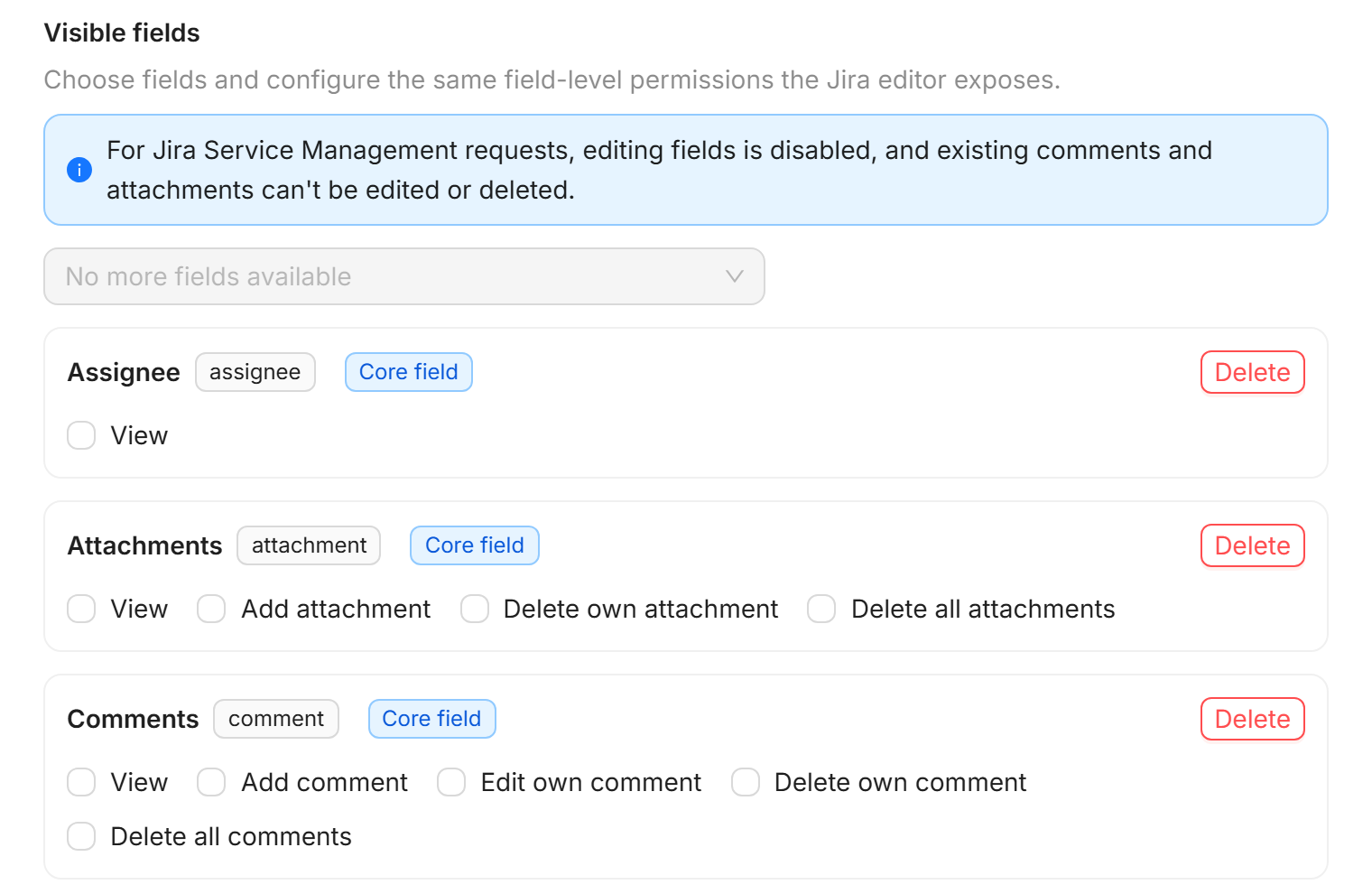
If your recurring need is: connect each client, vendor, or agency once; let them work in their own portal with their own users; share selected work items with field-level control; revoke and audit — that’s a different shape than Guest.
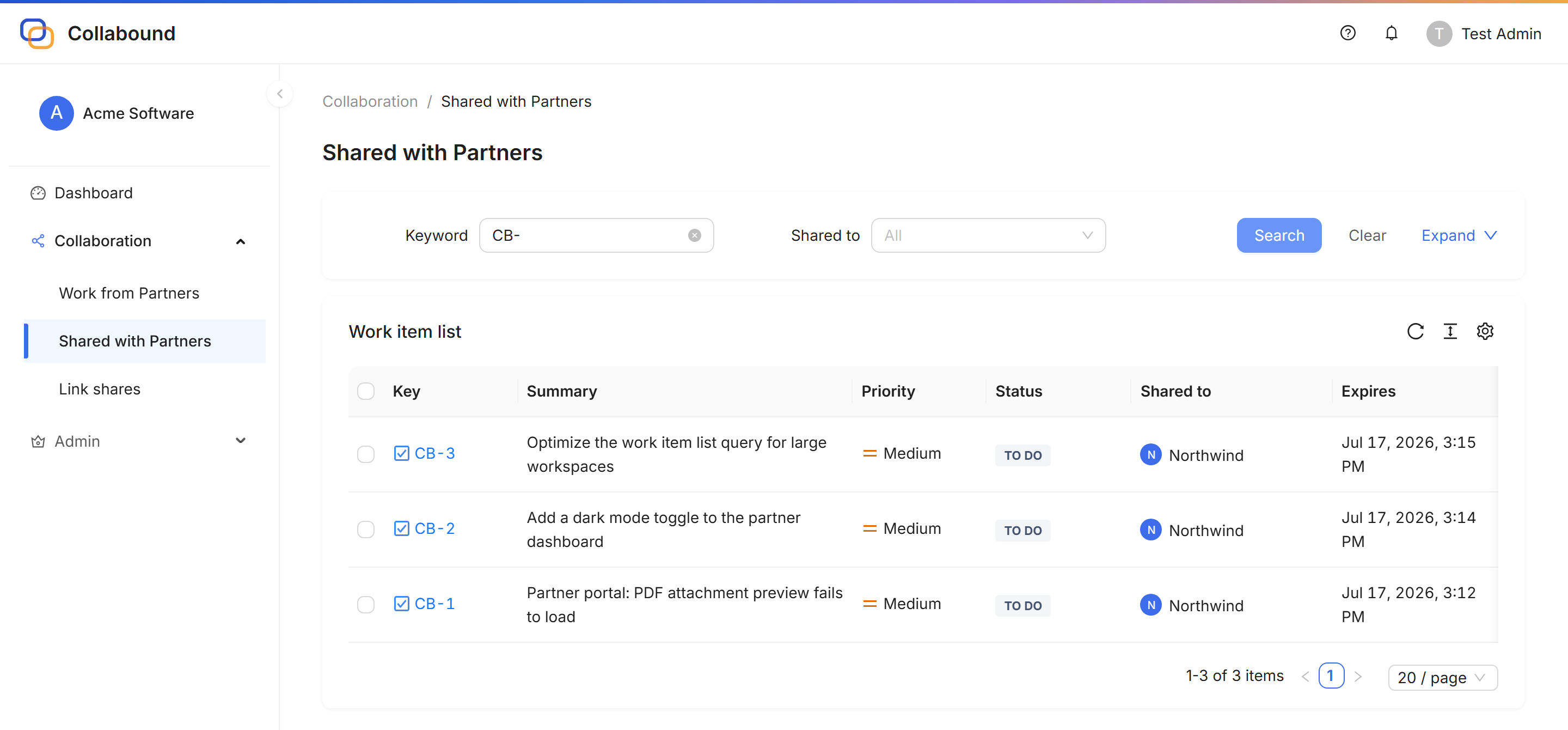
That’s the problem Collabound is built for on Jira Cloud: a partner network where partners stay outside your Jira site, open a secure link or portal without an Atlassian account, and work on selected items under templates you control. Sharing is bidirectional: if the partner also runs Jira, shared items appear under “Shared with us” on each side, and neither company adds users to the other’s site. Partner-side portal users are included in the site license and do not need Jira seats.
We’re not arguing Guest is obsolete. Many teams should keep using it. We’re saying: when the relationship is organizational, ongoing, and sensitive to oversharing, evaluate a portal model instead of stretching Guest.
Many teams use both: a few long-term contractors as Guests, and Collabound for the organizations around them. For a side-by-side, see Jira Guest vs Collabound. For link-centric sharing vs a partner workspace, see Collabound vs link-sharing apps.
Quick decision guide
- Temporary external person, one space, OK on your site → start with Jira Guest
- Service requests / customers in a support model → JSM (free, unlimited customers for that intake model)
- One-off visibility without setting up an organization → secure link sharing may be enough
- Ongoing partner organizations, partial work only, field control + audit, keep them off your site → evaluate a partner portal (including Collabound)
If you’re stuck between Guest and “something else,” write down whether the external party is a person for one space or an organization for years. That single distinction usually picks the lane.
Try Collabound on Jira Cloud
Connect partner organizations, share selected work items with field-level control, and keep partners off your Jira site. Partners do not need Jira seats.
Official Guest docs: Invite guests to Jira